


Orders found
Lists pending orders


A new-generation ERP on one data model that plans and runs work with Sonia AI.
AinosERP is an enterprise ERP platform built on a modern .NET core that unifies every process from finance to production in a single data model. Two things set it apart: the NOS development language, which brings screen and business-rule development inside the product, and Sonia, an AI agent that can plan and execute multi-step work on the user’s behalf.
Modules within the vendor’s official product scope. Not all of them are deployed on every project; scope is set by the fit-gap exercise.
Cash, budget, accounting, costing and e-transformation on the same chain as sales and production.
Quote to cash; customer, dealer and e-commerce portals on ERP’s own data model.
From request to supplier delivery; suppliers work through their own portal.
Work orders, MRP, quality, maintenance, PLM and MES on one manufacturing model.
Stock, warehouse, shipping and routing on one order chain.
Staff, payroll, attendance and competency under one role model.
Roles, APIs, mobile access, IoT and collaboration tools on the same core.
The product information in this section is compiled from the vendor’s official sources (ainoserp.ai). We recommend verifying current module scope and capabilities through a demo and the vendor’s own documentation.
We do not present Sonia as a chat box. The value of the agent is in planning multi-step work from a single instruction and executing it across the relevant screens. The critical point: the difference between proposing and executing is everything in accounting terms.
An agent that breaks a natural-language instruction into steps and executes it by navigating between screens. When a decision is uncertain it stops and asks for approval; it works only with data the user is authorised to see.
Check pending purchase orders. Prepare the ones within budget for approval. Separate the risky ones.
Sonia planned the task · 7 steps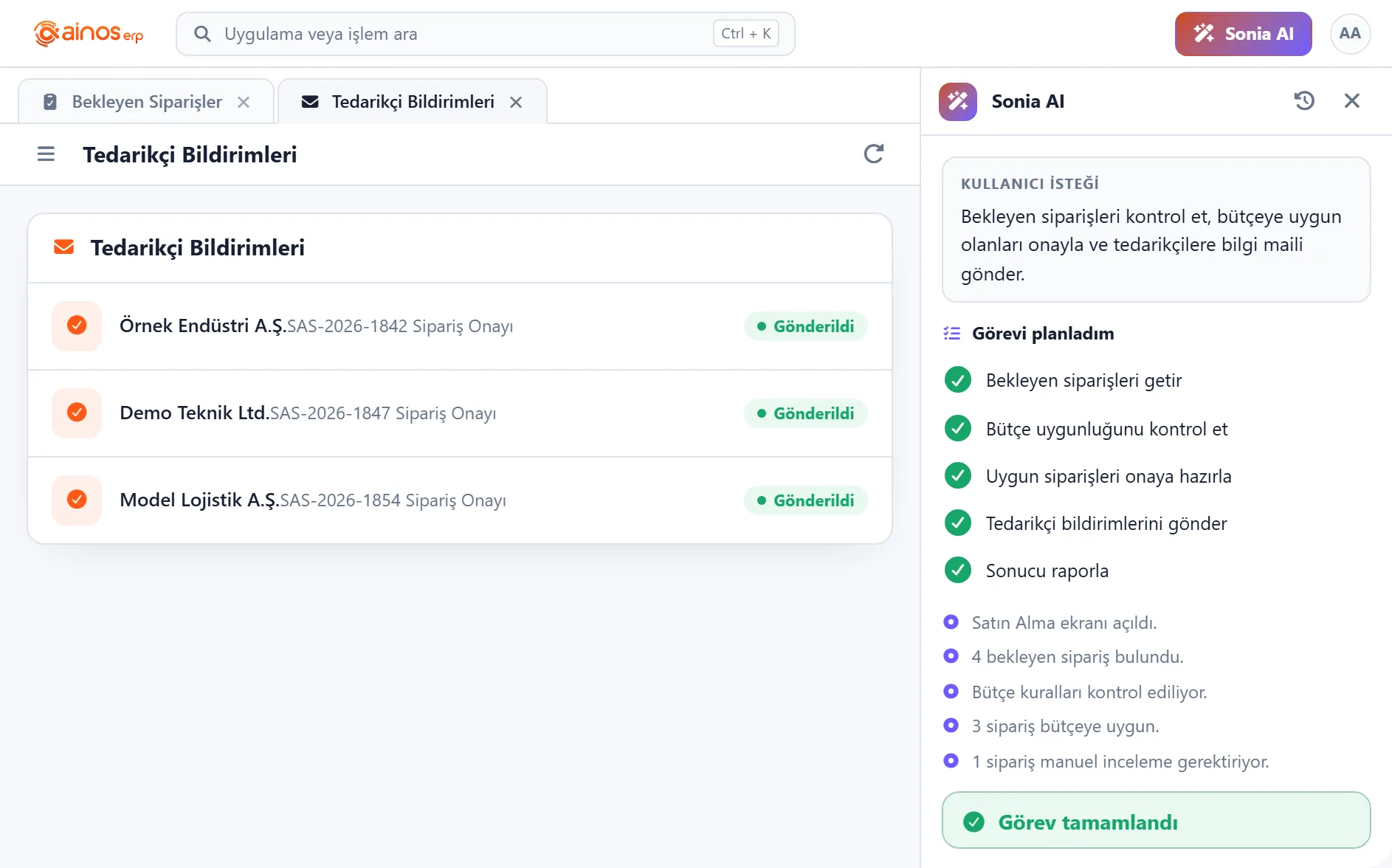
Lists pending orders
Compares them against the relevant budget line
Checks stock and master data status · Separates records that exceed budget or have missing data
Brings suitable ones for approval
Who approves above the threshold, and that the transaction waits without approval.
Executes the transaction in the ERP once authorised
Generates notifications for suppliers and relevant units
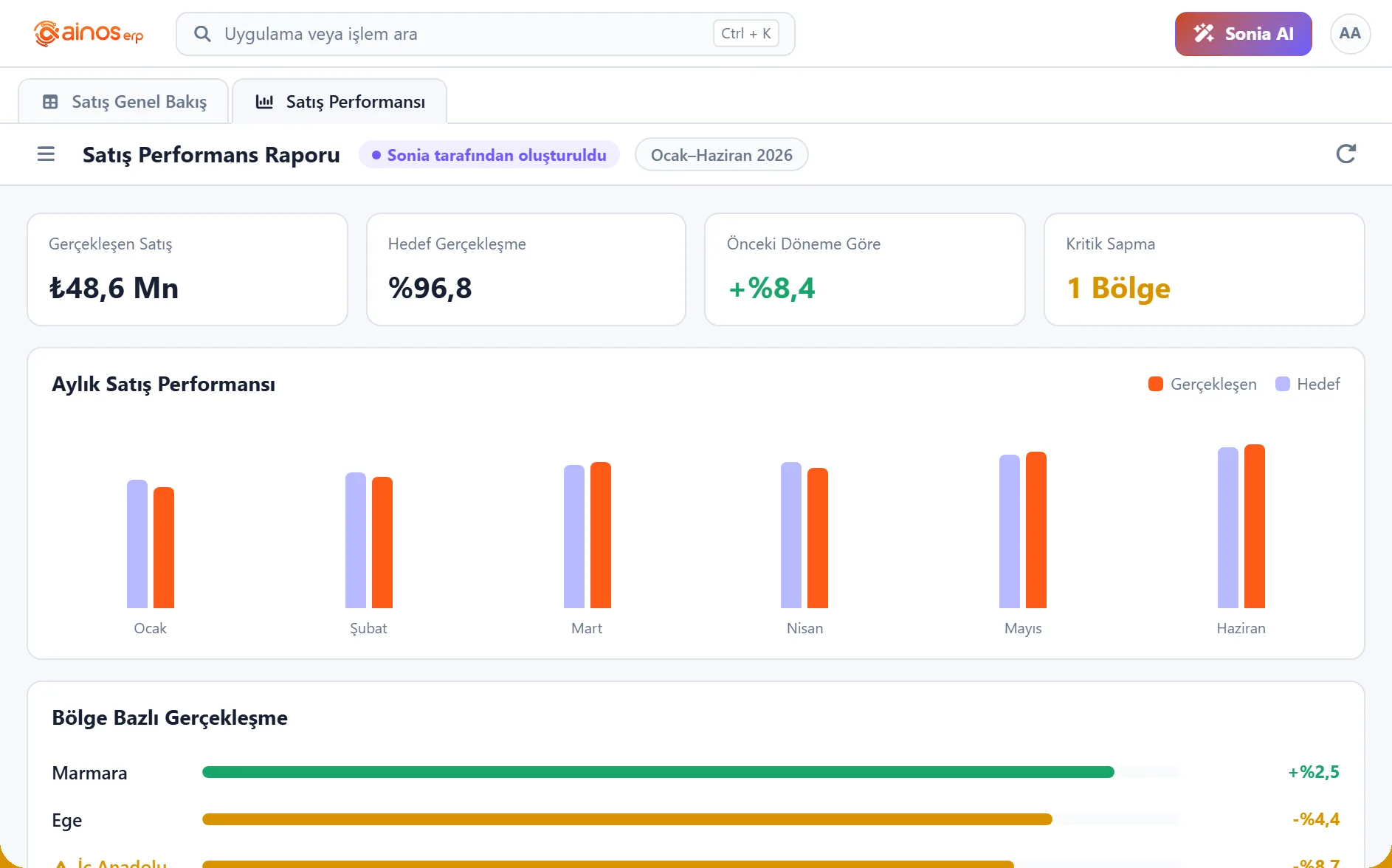
We treat agent governance as a separate project line. For any transaction with a financial effect, we do not switch the agent on before these four headings are written.
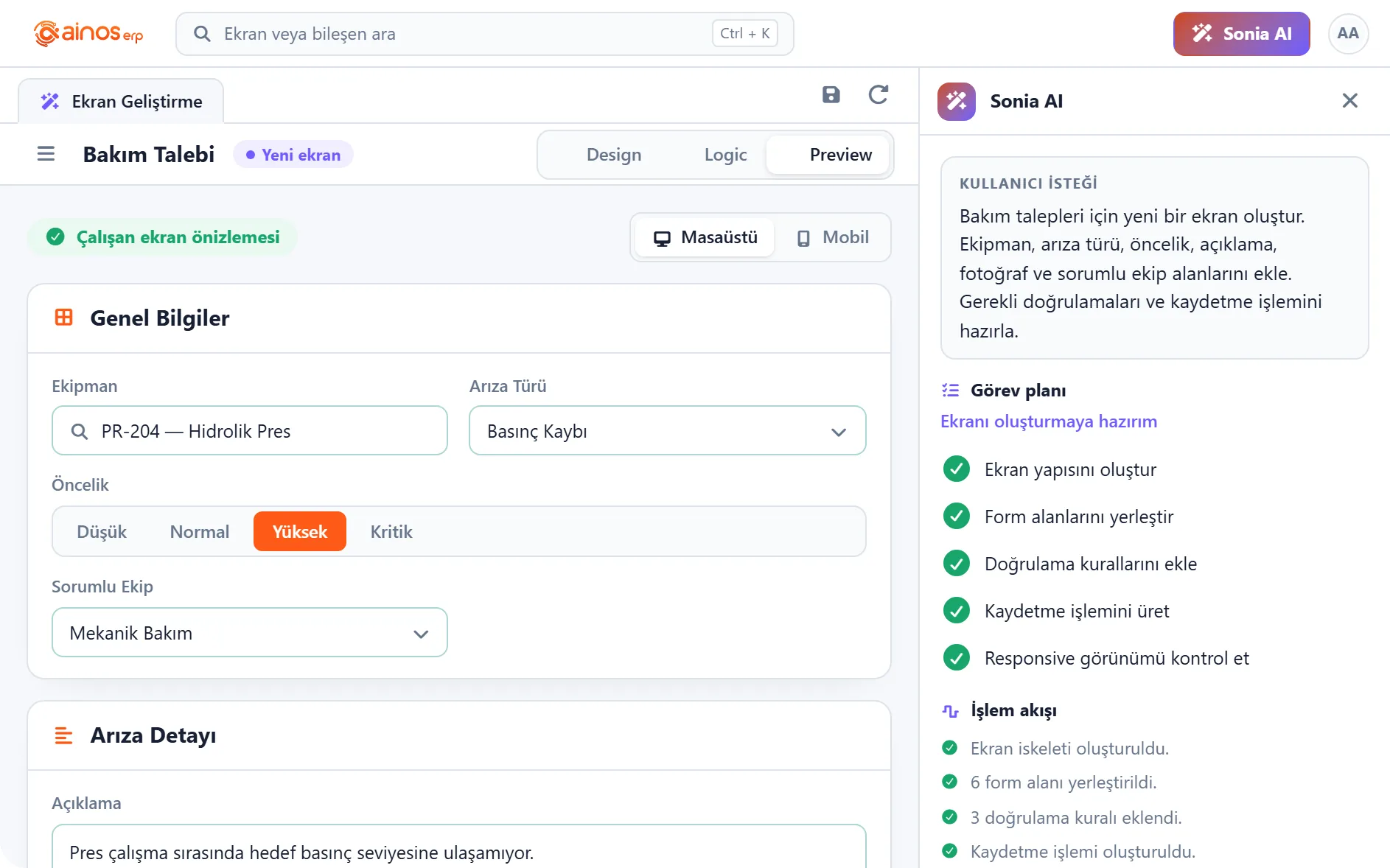
Screen and form customisations are made by drag-and-drop in the visual design tool; where a business rule is needed, it is written in NOS. Making customisations with the product’s own tools matters so that enterprise development is not left outside at version upgrade time.
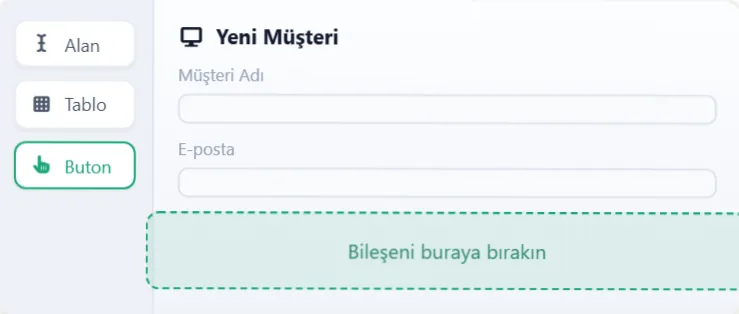
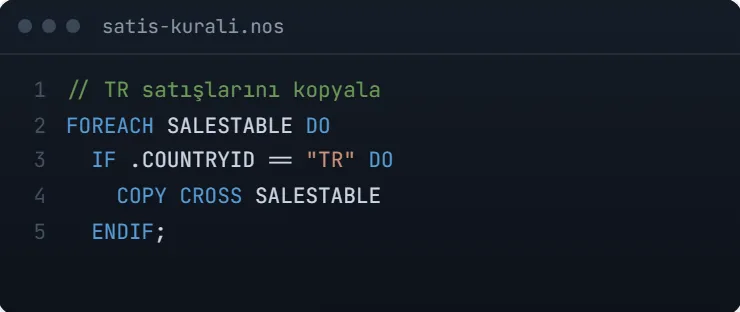
The need is described in plain language; Sonia can draft the screen.
Fields, tables and buttons are placed by drag and drop in the visual designer.
Fields bind to records and relations in the single data model.
Required, limit and consistency rules run when records are saved.
The product’s own development language. Validations, calculations and automations are written in readable form; customisation lives inside the product, not beside it.
The working preview is tested on desktop and mobile, then published after approval.
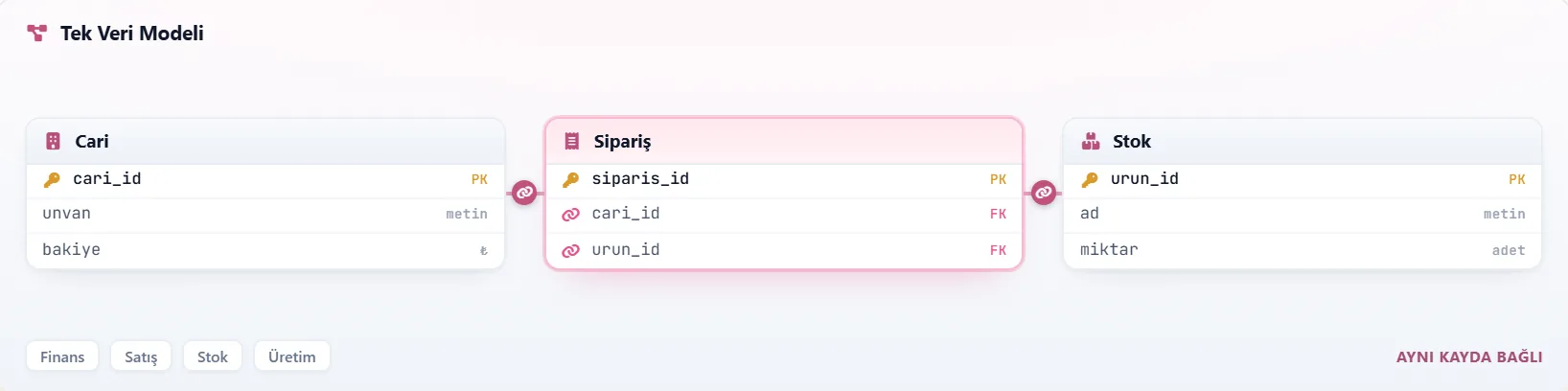
The same information is not held separately per module. This is where the design phase pays off most: accounts, stock and cost point at the same record.
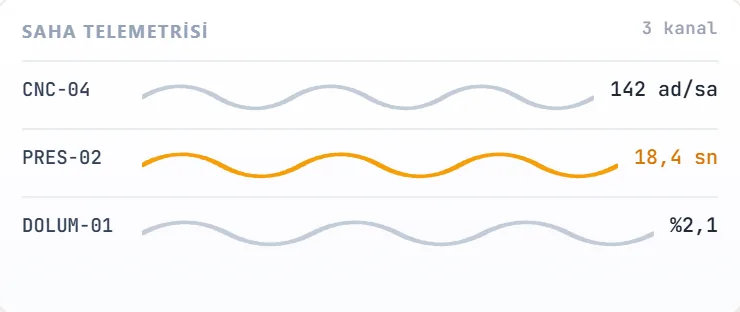
Telemetry from machines, sensors and terminals flows straight into processes. Where production feedback is not keyed in by hand, data reliability rises.
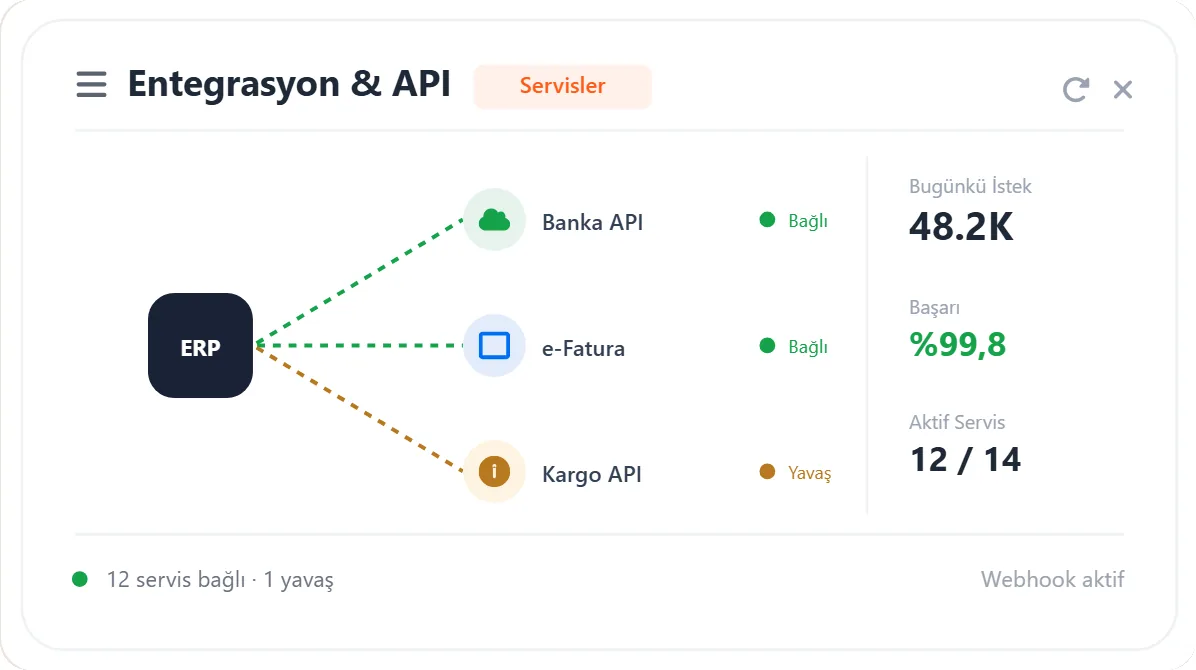
An API layer for banking, POS, e-commerce and third-party services. Keeping integration inside the ERP means reconciliation does not move to a separate system.
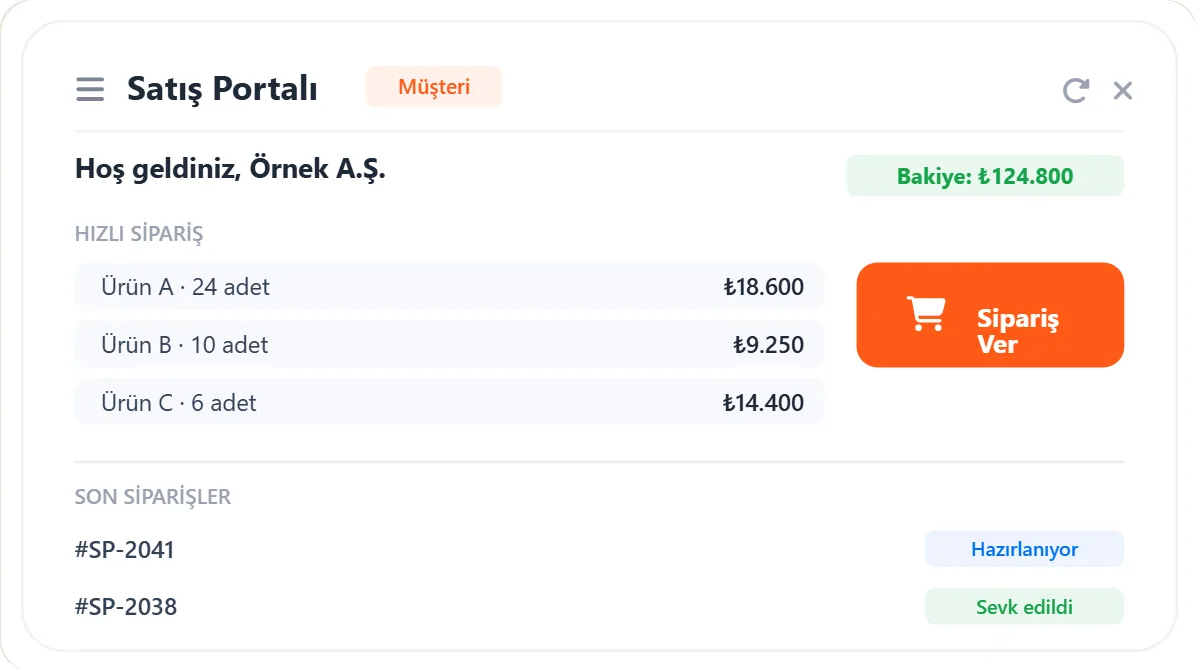
Customers, suppliers and dealers handle their own transactions. The sales, procurement and dealer portals run on the ERP’s own data model.
Field, warehouse and approval processes are not tied to the desktop. Making pending approvals visible on mobile is the simplest intervention that speeds up period-end close.
Native iOS and Android apps are announced by the vendor as “coming soon”.
We produce a written fit-gap showing where the product fits your processes and where it does not.
Processes, current systems, data sources and decision makers are reviewed on site.
Separating what the product standard covers from what it does not.
Process design, module deployment, master data structure and the authorisation model.
Screens and forms in the visual designer, business rules in NOS.
Business rules the standard does not cover are written in NOS, inside the product.
Banking, e-invoice and e-archive, POS, e-commerce, B2B and third-party services.
Separate migration and verification plans for master data, open transactions and history.
Threshold, approval, reversal and audit-trail design for Sonia.
Role-based training, key-user development, cutover checklist.
Cut-over checklist, opening balances and first period close.
Post-go-live monitoring, open-item tracking and regular maintenance.
On the AinosERP side we are an Ainos solution partner. That means we run the implementation, customisation and integration work as a team that knows the product and has a direct channel to the vendor.
The module map, Sonia AI and NOS sections are set out above. For the technical detail of the single data model and criteria for evaluating the product against alternatives, see what is AinosERP.
Process design, module go-live, master data structure, the authorisation model and data migration. AinosERP being built on a single data model means the same information is not kept separately across modules; that is where the design stage pays off most.
We build screen, form and field customisations with the product's visual design tool, and business rules in NOS, the product's own rule language. Customising with the product's own tooling matters so that in-house development is not left outside the scope of a version update.
Links to banks, e-invoicing and e-archive, POS, e-commerce, B2B and third-party services. Our working discipline on the integration side is set out in detail on the API and system integration page.
AinosERP includes an AI agent that can plan and carry out operations on the user's behalf. Designed properly, that capability saves time; left undesigned, it produces records nobody can audit. Deciding what the agent may do, and under which conditions, is separate work — and we treat it as a separate line item.
The difference between what an AI agent proposes and what it executes is, in accounting terms, everything. If a proposal is wrong the user corrects it; if an executed operation is wrong there is a record, and that record belongs to the business.
So when an agent is going to produce a record with financial effect, we write four things up front:
The last item is the one most often skipped. Without the audit trail marking, a few months later nobody can tell which records a person created and which the agent did — and that is the hardest position to defend in an audit.
We publish no unmeasured success rate, average project duration or customer count. The module count and capabilities of the product are the vendor's own statements; we recommend verifying current coverage in the vendor's documentation and in a demo. Our partnership is not a guarantee that the product will fit your processes.
It means we are an implementation team that knows the product and has a direct channel to the vendor. We still run the fit-gap assessment; telling you where the product does not fit is part of the partnership too.
The licence relationship is with the vendor. We carry out the implementation, customisation, integration and go-live work.
Technically it can, and the responsibility stays with you. That is why we do not put the agent live on operations with financial effect until the threshold, approval, reversal and audit trail are designed.
When customisation is written with the product's own tooling — Visual Designer, NOS — an update does not leave it outside. The same cannot be said for side solutions built outside the product, which is why we prefer to keep customisation inside it.
Let’s plan an AinosERP demo around your processes: Sonia, NOS and the relevant modules with your data structure.
Technical discovery call
Leave your details and pick a day that suits you; we will come back to confirm. On the call we listen to your current system, the bottleneck and your goal. There is no charge for the first call.
Your request has been received.


